01
Choose useful destinations
Include only the places a visitor is likely to need. You can change the links on your GreenQR Link page later.
One QR code opens one GreenQR Link page. Visitors see your selected destinations there and choose the one they need. The QR code opens the page first, and the visitor chooses where to go next.
New to the Free plan? Read the Free QR Code Generator guide for its starting limits.
One QR code
Opens one link page
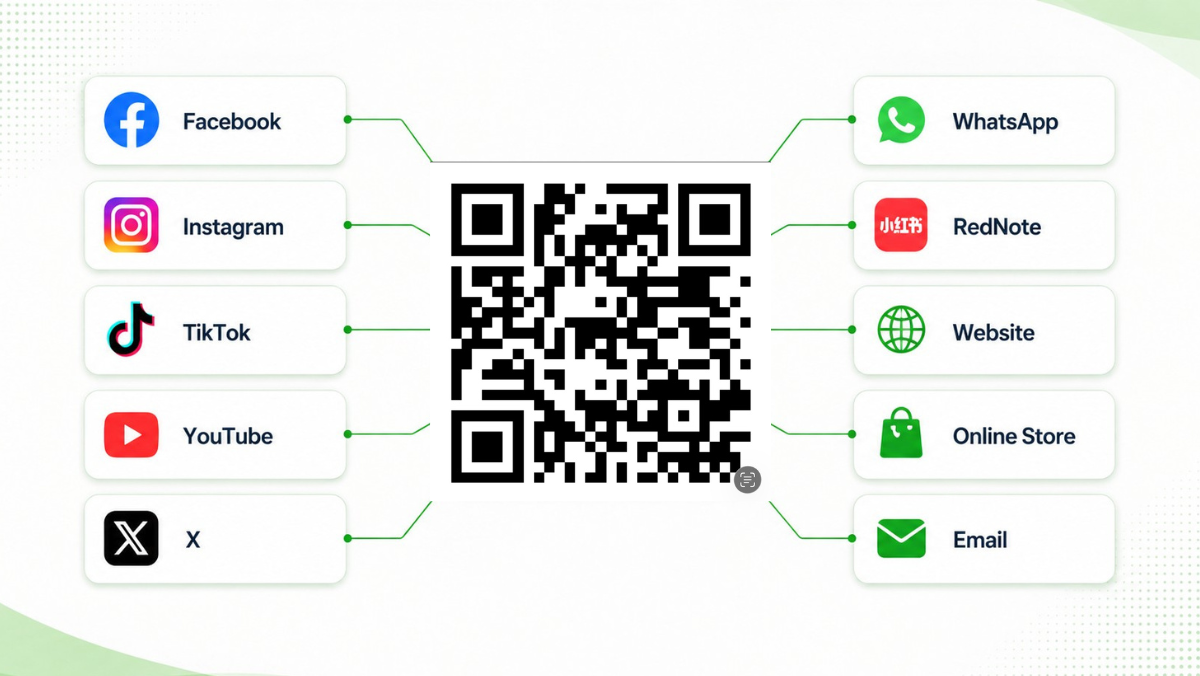
What opens after a scan
The QR code leads to a page that holds the destinations you choose. Visitors decide which link to follow; they are not sent automatically to all of them. For more on arranging that page, see Smart QR Landing Pages.
Scan the QR code
The GreenQR Link page opens
See several labeled destinations
Choose the destination to visit
Make the choices useful
These checks help someone choose a destination after scanning. For QR appearance and print testing, use the Custom QR Codes guide.
Include only the places a visitor is likely to need. You can change the links on your GreenQR Link page later.
Lead with the menu, booking page, or other action that matters most for that audience. Use labels that say what opens.
Scan the code on a phone, open the page, and test each destination. Remove links that become outdated.
Illustrative example
This is an example, not a required setup. A local business could put these destinations on one page, with its main visitor action at the top.
Plan the QR codes
Start with what visitors need to see and whether you need to distinguish one campaign or placement from another. For available metrics and their limits, read the QR Code Analytics reference.
If visitors in several places should see the same set of destinations, one QR code can point them to that page.
For separate campaigns or physical placements, different QR codes may be more appropriate. Scans of one shared code cannot by themselves tell you which physical placement produced them.
When a link changes, update the GreenQR Link page and test it again. The printed code can keep working while it still points to an active page.
A short set of clear choices is easier to use than a list of every link your business has. Your available page and block limits depend on your plan.
Frequently asked questions
No. It opens one GreenQR Link page. The visitor then chooses which destination to open from that page.
Choose the links visitors need, then create a QR code that opens your GreenQR Link page.
Create Your QR Code